

Skip to content
en
USD
Skip to product information
Description
12-Bay 2U USB 4 Type-C JBOD

QNAP TL-R1210TC4-RP

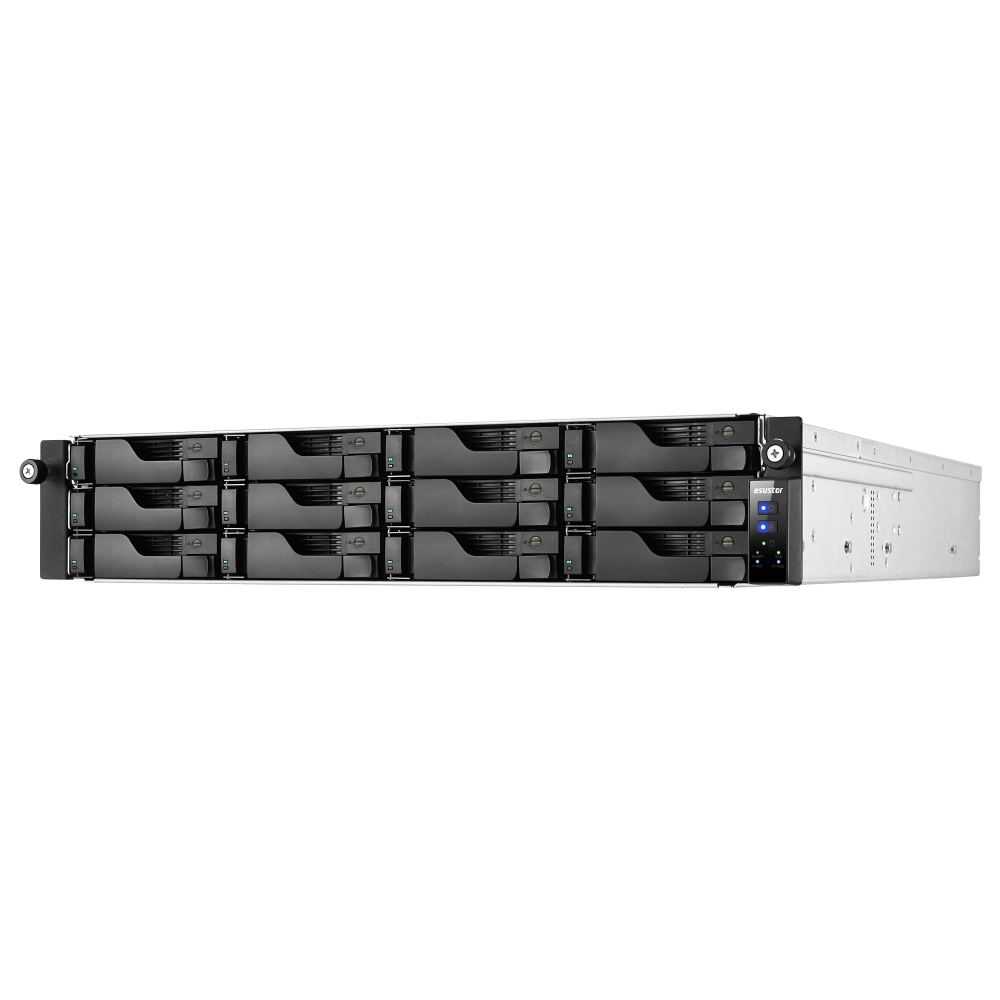
The TL-R1210TC4-RP is a redundant-power 2U rackmount JBOD with twelve hot-swappable SATA drive bays and one USB 4 Type-C host interface. It supports 3.5-inch SATA hard drives or 2.5-inch SATA solid state drives and delivers transfer speeds up to 40Gbps for storage expansion, backup, archiving and data migration.

Important: The system is supplied without drives. Connect the enclosure directly to a supported NAS or PC USB port; do not place a USB hub or docking station between the host and the expansion unit.

What is the QNAP TL-R1210TC4-RP?

The TL-R1210TC4-RP is a twelve-bay rackmount USB 4 JBOD expansion enclosure with dual 250W power supply modules. It can expand supported QNAP NAS and computer storage while providing hot-swappable SATA bays, UASP support, host-based power synchronisation and JBOD status monitoring.

12 Bays3.5-inch SATA HDD or 2.5-inch SATA SSD support
40GbpsUSB 4 Type-C host connection
312TBMaximum raw capacity stated in the supplied content
Dual 250WRedundant power supply modules

High-Capacity Rackmount Storage Expansion

Flexible expansion for supported NAS and computer environments.

The twelve-bay enclosure supports up to 312TB of raw capacity based on twelve 26TB drives. It is designed for long-term backup, archiving, data sharing and other large-capacity storage requirements in a 2U rackmount form factor.

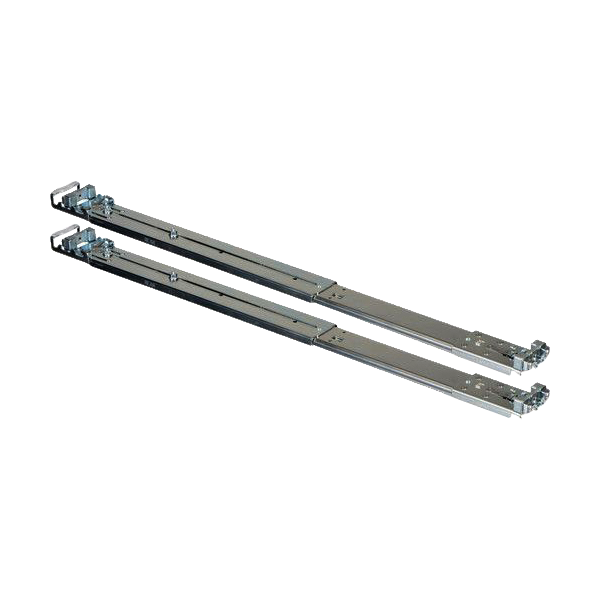
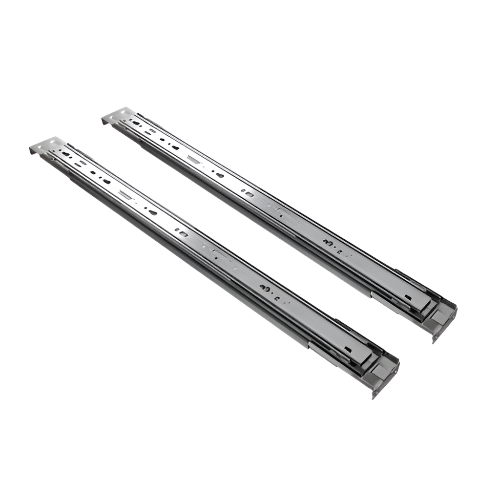
The optional RAIL-B02 rail kit allows installation in a standard 19-inch rack that meets ANSI/EIA-RS-310-D specifications.

USB 4 Performance and Reliable Operation

USB 4 connectivity, UASP and redundant power support efficient data access and stable service.

01

USB 4 Type-C Connectivity

The USB 4 Type-C host interface supports transfer speeds up to 40Gbps. Actual performance depends on the connected device, cable and operating environment.

02

UASP Support

USB Attached SCSI Protocol support can improve transfer speed and reduce data delays when the host computer and operating system also support UASP.

03

Redundant Power

Two 250W power supply modules provide power redundancy for stable operation and service continuity.

04

Host-Based Power Management

The JBOD can synchronise power-on and power-off operations with the connected host device.

05

Hot-Swappable Bays

All twelve drive bays are hot-swappable, supporting easier drive replacement and storage maintenance.

06

Fan Control

A fan mode switch provides Auto, high, medium and low settings for the two 80mm cooling fans.

Storage Management on QNAP NAS

Create independent storage or use the enclosure in external disk mode.

07

Independent Storage Pool

Storage & Snapshots Manager can create an independent software RAID storage pool on the TL-R1210TC4-RP, with support for RAID migration and disk replacement.

08

External Disk Mode

Each installed drive can be presented as independent storage for quick transfers or short-term backup requirements.

09

Drive Health Monitoring

Storage & Snapshots Manager can monitor S.M.A.R.T. status and configure notifications for installed drives.

Storage pool limitation: The TL-R1210TC4-RP can only be used as an independent storage pool or disk area. It cannot be merged with the NAS main storage pool or disk area, and system applications can only be installed on the NAS.

Windows and Linux Storage Expansion

Use software RAID or independent disks on supported computer platforms.

On Windows, built-in tools such as Windows Storage Spaces can combine multiple drives into a software RAID. Alternatively, each drive can be accessed independently in single disk mode for large data batches, archiving and removable-disk workflows.

Software RAID storage is not cross-platform due to platform incompatibilities. Once configured, it should remain on the same platform.

JBOD Monitoring

Monitor device and disk status from supported Windows and Linux systems.

QNAP JBOD Manager can report device health, disk status, fan speed and recorded system events. Abnormal conditions can trigger real-time desktop notifications.

The supplied content specifies JBOD Manager v1.3 for Windows users and JBOD Manager v1.1 for Linux users.

Supplied Transfer Performance Results

Laboratory results using twelve Samsung 860 Pro 512GB SSDs.

QTS

RAID 0 Read2976 MB/s
RAID 0 Write2551 MB/s
RAID 5 Read2976 MB/s
RAID 5 Write1970 MB/s

Windows

RAID 0 Read2275 MB/s
RAID 0 Write2276 MB/s
RAID 5 Read2760 MB/s
RAID 5 Write849 MB/s

Ubuntu

RAID 0 Read2982 MB/s
RAID 0 Write2192 MB/s
RAID 5 Read2961 MB/s
RAID 5 Write1351 MB/s

Test environment: TS-h2477AXU with AMD Ryzen(TM) 7 7700 eight-core processor, 32GB DDR5 RAM, QXP-40G2UC PCIe Gen 3 x4 card, QTS 5.2.9 and twelve Samsung 860 Pro 512GB SSDs. Results were tested in QNAP laboratories and may vary with the actual environment.

Important Compatibility and Operating Notes

Review the supplied limitations before deployment.

  1. QNAP NAS use requires QTS 5.2.x or later, or QuTS hero 5.2.8 or later.
  2. Some NAS models require a minimum BIOS version when connected through the QXP-40G2UC expansion card.
  3. The supplied content lists USB 4 compatibility for QNAP NAS and Windows PCs, Thunderbolt(TM) 3 compatibility for QNAP NAS, and Thunderbolt(TM) 4 compatibility for QNAP NAS and Windows PCs.
  4. USB 3 and earlier versions are not supported.
  5. The included USB 4 Type-C cable should be used where practical; the supplied content recommends a USB cable no longer than one metre.
  6. Migration is supported only with TL USB series JBODs, not other JBODs or devices.
  7. Follow the power-on and power-off procedures in the user manual.
  8. Connect the enclosure directly to the host. Do not use an intermediate USB hub or docking station.
  9. Only one disk type may be used in a RAID group. Mixing HDDs and SSDs in the same RAID group is not supported.

Frequently Asked Questions

Quick answers about the QNAP TL-R1210TC4-RP.

Are hard drives or SSDs included?

No. The system is supplied without drives.

Which drives does the TL-R1210TC4-RP support?

Its twelve 3.5-inch bays support 3.5-inch SATA 6Gb/s or 3Gb/s hard drives and 2.5-inch SATA 6Gb/s or 3Gb/s solid state drives.

What is the maximum stated raw capacity?

The supplied content states up to 312TB of raw capacity using twelve 26TB drives.

Can it connect through a USB hub or docking station?

No. The enclosure should be connected directly to the supported NAS or PC USB port.

Can the JBOD storage be merged with the NAS main storage pool?

No. It can be used only as an independent storage pool or disk area.

Does it support hot-swapping?

Yes. The twelve drive bays are hot-swappable.

Which QNAP operating system versions are supported?

The supplied content states QTS 5.2.x or later and QuTS hero 5.2.8 or later.

Can software RAID be moved between Windows and another platform?

No. The supplied content states that software RAID storage cannot be used across different platforms.

Product information: Product images are illustrative. Designs and specifications may change without notice. Confirm drive and host compatibility before installation.

QNAP TL-R1210TC4-RP 12 Bay 2U Rackmount USB 4 (40Gbps) Type-C Storage Expansion Enclosure

Regular price $4,758.00
Sold Out

Tax included.

Contact for Pre-Order Check for more accurate ETA and pre-order
12-Bay 2U USB 4 Type-C JBOD

QNAP TL-R1210TC4-RP

The TL-R1210TC4-RP is a redundant-power 2U rackmount JBOD with twelve hot-swappable SATA drive bays and one USB 4 Type-C host interface. It supports 3.5-inch SATA hard drives or 2.5-inch SATA solid state drives and delivers transfer speeds up to 40Gbps for storage expansion, backup, archiving and data migration.

Important: The system is supplied without drives. Connect the enclosure directly to a supported NAS or PC USB port; do not place a USB hub or docking station between the host and the expansion unit.

What is the QNAP TL-R1210TC4-RP?

The TL-R1210TC4-RP is a twelve-bay rackmount USB 4 JBOD expansion enclosure with dual 250W power supply modules. It can expand supported QNAP NAS and computer storage while providing hot-swappable SATA bays, UASP support, host-based power synchronisation and JBOD status monitoring.

12 Bays3.5-inch SATA HDD or 2.5-inch SATA SSD support
40GbpsUSB 4 Type-C host connection
312TBMaximum raw capacity stated in the supplied content
Dual 250WRedundant power supply modules

High-Capacity Rackmount Storage Expansion

Flexible expansion for supported NAS and computer environments.

The twelve-bay enclosure supports up to 312TB of raw capacity based on twelve 26TB drives. It is designed for long-term backup, archiving, data sharing and other large-capacity storage requirements in a 2U rackmount form factor.

The optional RAIL-B02 rail kit allows installation in a standard 19-inch rack that meets ANSI/EIA-RS-310-D specifications.

USB 4 Performance and Reliable Operation

USB 4 connectivity, UASP and redundant power support efficient data access and stable service.

01

USB 4 Type-C Connectivity

The USB 4 Type-C host interface supports transfer speeds up to 40Gbps. Actual performance depends on the connected device, cable and operating environment.

02

UASP Support

USB Attached SCSI Protocol support can improve transfer speed and reduce data delays when the host computer and operating system also support UASP.

03

Redundant Power

Two 250W power supply modules provide power redundancy for stable operation and service continuity.

04

Host-Based Power Management

The JBOD can synchronise power-on and power-off operations with the connected host device.

05

Hot-Swappable Bays

All twelve drive bays are hot-swappable, supporting easier drive replacement and storage maintenance.

06

Fan Control

A fan mode switch provides Auto, high, medium and low settings for the two 80mm cooling fans.

Storage Management on QNAP NAS

Create independent storage or use the enclosure in external disk mode.

07

Independent Storage Pool

Storage & Snapshots Manager can create an independent software RAID storage pool on the TL-R1210TC4-RP, with support for RAID migration and disk replacement.

08

External Disk Mode

Each installed drive can be presented as independent storage for quick transfers or short-term backup requirements.

09

Drive Health Monitoring

Storage & Snapshots Manager can monitor S.M.A.R.T. status and configure notifications for installed drives.

Storage pool limitation: The TL-R1210TC4-RP can only be used as an independent storage pool or disk area. It cannot be merged with the NAS main storage pool or disk area, and system applications can only be installed on the NAS.

Windows and Linux Storage Expansion

Use software RAID or independent disks on supported computer platforms.

On Windows, built-in tools such as Windows Storage Spaces can combine multiple drives into a software RAID. Alternatively, each drive can be accessed independently in single disk mode for large data batches, archiving and removable-disk workflows.

Software RAID storage is not cross-platform due to platform incompatibilities. Once configured, it should remain on the same platform.

JBOD Monitoring

Monitor device and disk status from supported Windows and Linux systems.

QNAP JBOD Manager can report device health, disk status, fan speed and recorded system events. Abnormal conditions can trigger real-time desktop notifications.

The supplied content specifies JBOD Manager v1.3 for Windows users and JBOD Manager v1.1 for Linux users.

Supplied Transfer Performance Results

Laboratory results using twelve Samsung 860 Pro 512GB SSDs.

QTS

RAID 0 Read2976 MB/s
RAID 0 Write2551 MB/s
RAID 5 Read2976 MB/s
RAID 5 Write1970 MB/s

Windows

RAID 0 Read2275 MB/s
RAID 0 Write2276 MB/s
RAID 5 Read2760 MB/s
RAID 5 Write849 MB/s

Ubuntu

RAID 0 Read2982 MB/s
RAID 0 Write2192 MB/s
RAID 5 Read2961 MB/s
RAID 5 Write1351 MB/s

Test environment: TS-h2477AXU with AMD Ryzen(TM) 7 7700 eight-core processor, 32GB DDR5 RAM, QXP-40G2UC PCIe Gen 3 x4 card, QTS 5.2.9 and twelve Samsung 860 Pro 512GB SSDs. Results were tested in QNAP laboratories and may vary with the actual environment.

Important Compatibility and Operating Notes

Review the supplied limitations before deployment.

  1. QNAP NAS use requires QTS 5.2.x or later, or QuTS hero 5.2.8 or later.
  2. Some NAS models require a minimum BIOS version when connected through the QXP-40G2UC expansion card.
  3. The supplied content lists USB 4 compatibility for QNAP NAS and Windows PCs, Thunderbolt(TM) 3 compatibility for QNAP NAS, and Thunderbolt(TM) 4 compatibility for QNAP NAS and Windows PCs.
  4. USB 3 and earlier versions are not supported.
  5. The included USB 4 Type-C cable should be used where practical; the supplied content recommends a USB cable no longer than one metre.
  6. Migration is supported only with TL USB series JBODs, not other JBODs or devices.
  7. Follow the power-on and power-off procedures in the user manual.
  8. Connect the enclosure directly to the host. Do not use an intermediate USB hub or docking station.
  9. Only one disk type may be used in a RAID group. Mixing HDDs and SSDs in the same RAID group is not supported.

Frequently Asked Questions

Quick answers about the QNAP TL-R1210TC4-RP.

Are hard drives or SSDs included?

No. The system is supplied without drives.

Which drives does the TL-R1210TC4-RP support?

Its twelve 3.5-inch bays support 3.5-inch SATA 6Gb/s or 3Gb/s hard drives and 2.5-inch SATA 6Gb/s or 3Gb/s solid state drives.

What is the maximum stated raw capacity?

The supplied content states up to 312TB of raw capacity using twelve 26TB drives.

Can it connect through a USB hub or docking station?

No. The enclosure should be connected directly to the supported NAS or PC USB port.

Can the JBOD storage be merged with the NAS main storage pool?

No. It can be used only as an independent storage pool or disk area.

Does it support hot-swapping?

Yes. The twelve drive bays are hot-swappable.

Which QNAP operating system versions are supported?

The supplied content states QTS 5.2.x or later and QuTS hero 5.2.8 or later.

Can software RAID be moved between Windows and another platform?

No. The supplied content states that software RAID storage cannot be used across different platforms.

Product information: Product images are illustrative. Designs and specifications may change without notice. Confirm drive and host compatibility before installation.

Drawer Title
Similar Products